
How to Protect Your Artwork from AI Training (Complete Guide)
How to Protect Your Designs and Artwork from AI Training: A Practical Guide for Artists and Designers
Creating original artwork takes time, creativity, and years of practice. Whether you’re a designer, illustrator, photographer, or digital artist, seeing your work scraped by AI datasets or copied without permission can be incredibly frustrating.
After researching different ways to protect creative work online, I found that many of the most popular solutions, such as Nightshade and Glaze, require powerful graphics cards that aren’t accessible to everyone, especially creators working on laptops or tablets.
Fortunately, there are effective alternatives that anyone can use to reduce the risk of unauthorized AI training and content theft.
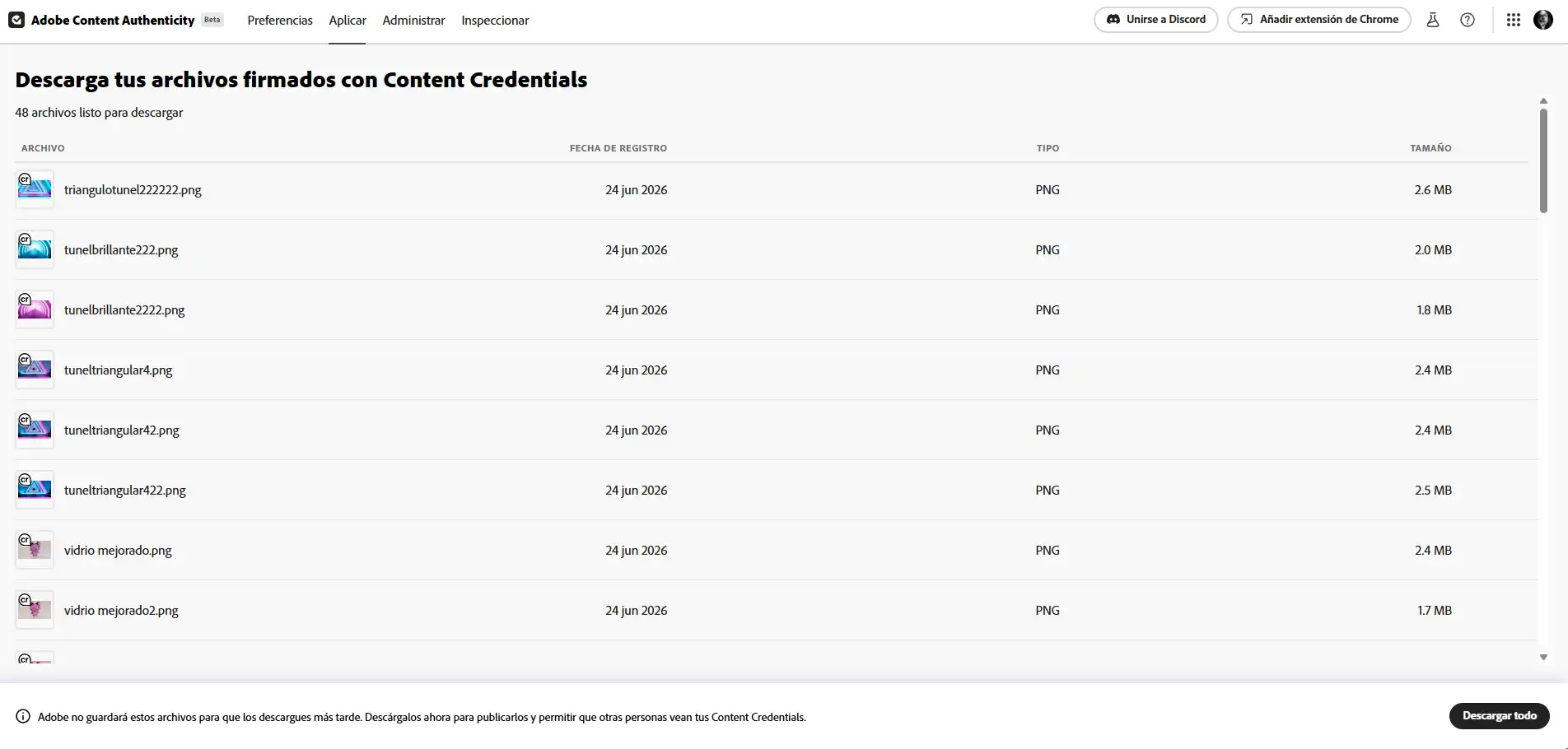
Use Adobe Content Authenticity to Protect Your Artwork
One of the simplest tools I’ve found is the Adobe Content Authenticity Web App.
Instead of acting as traditional copyright protection, it digitally signs your work by creating a tamper-evident record and allows you to indicate that your images should not be used for generative AI training.
If you’re tired of seeing artwork copied from portfolio websites, social media, or platforms like Dribbble, often by people promising unrealistic “make millions with AI” tutorials, this is an easy way to establish ownership and add an additional layer of protection.
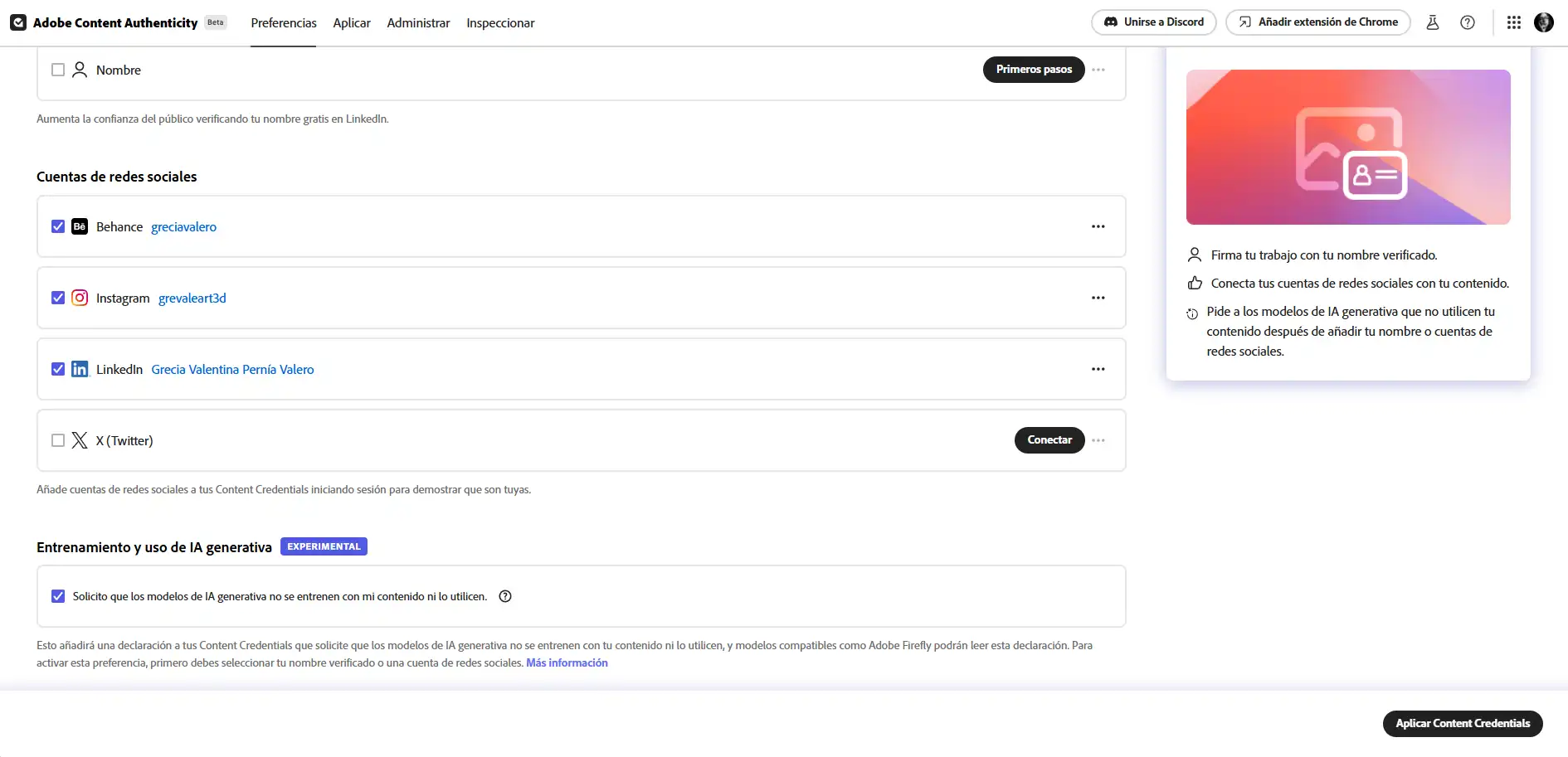
How to Use Adobe Content Authenticity
Protecting your files only takes a few minutes:
- Visit the Adobe Content Authenticity website.
- Sign in using your Adobe account or a supported social login.
- Upload the artwork or design you want to protect.
- Add your creator information, including your name and social profiles.
- Under Generative AI Training and Usage Preference, select Do Not Train.
- Apply the credentials and download the newly signed version of your file.
The exported file contains cryptographic credentials that help identify you as the original creator while communicating your AI training preferences.
Where You Publish Your Work Matters
Protecting the file itself is only part of the equation.
The platform where you publish your work can significantly affect how easily it is collected by AI crawlers and automated scrapers.
Dribbble
Dribbble is one of the internet’s largest collections of high-quality UI, UX, branding, and illustration work. Because of its public nature, it is heavily crawled by scraping bots.
If you publish there, assume your work may eventually be indexed or scraped. It’s an excellent platform for visibility, but avoid treating it as the primary home for your highest-value assets.
WordPress.com
If you use the hosted version of WordPress.com, review your privacy settings and robots configuration carefully.
Depending on your setup, some content may be more easily exposed to large-scale indexing. Whenever possible, a self-hosted WordPress installation provides greater control over your server, permissions, and website configuration.

AI Training Policies on Popular Platforms
Many online platforms use publicly available content to improve their AI systems. Before uploading your work, it’s worth checking each platform’s current AI policy and available privacy controls.
Meta (Facebook & Instagram)
Meta uses public photos, captions, and Reels to improve its AI models, including Llama.
There is currently no simple opt-out switch. Instead, you must submit a request through the Privacy Center using the Right to Object form.
Personally, I was never able to locate this option, which ultimately led me to stop posting my work there.
X (Formerly Twitter)
X uses public posts and interactions to improve Grok.
To opt out:
Settings → Privacy and Safety → Grok
Disable the option allowing your content to be used for AI training.
LinkedIn uses posts and articles to improve its generative AI writing features.
Navigate to:
Settings → Data Privacy → Data for Generative AI Improvement
Then disable the feature.
Users located in the European Union are generally opted out by default due to regional privacy regulations.
Reddit licenses historical discussions and comments to AI companies for model training.
Currently, there is no opt-out option. The only alternatives are deleting your content or avoiding posting sensitive work on the platform.
Tumblr
Tumblr offers an option to opt out of AI data sharing through your blog visibility settings.
Figma
Figma may use project files to improve certain AI-powered features.
If you work in a team workspace, review your settings and disable AI training if the option is available.
Additional Strategies to Protect Your Portfolio
No single solution completely prevents unauthorized use. The safest approach combines several protective measures.
Export Lower-Resolution Files
Never upload your original production files.
Instead, export web versions at 72 DPI with a maximum width of approximately 1500 pixels.
This preserves image quality for online viewing while making the files significantly less useful for printing or AI dataset collection.
Add a Copyright Notice
Include a short copyright statement in your image description or metadata explaining that the work is original, protected by copyright, and not authorized for AI training.
Although this won’t stop automated bots, it provides a stronger legal foundation and discourages manual copying.
Use Strategic Watermarks
While many artists dislike watermarks, a subtle repeating watermark with low opacity makes automated removal considerably more difficult than placing a single logo in one corner.
Add NoAI Directives
If you own your own website, consider adding AI-related directives through your robots.txt file or HTML meta tags, such as:
<meta name="robots" content="noai">
Although compliance is voluntary, an increasing number of responsible crawlers recognize these signals.
Embed IPTC Metadata
Always include copyright information, your name, and contact details using Photoshop’s File → File Info panel or another metadata editor.
This information remains attached to the file even after it is downloaded or shared elsewhere.
Why Having Your Own Website Offers the Best Protection
In my opinion, the most effective long-term solution is having your own website.
Unlike social media platforms, a personal website gives you much greater control over how your content is indexed, displayed, and accessed. You can configure robots.txt rules, manage metadata, choose your hosting environment, and implement additional security measures that simply aren’t available on most portfolio platforms.
If you’d like to learn how to configure a robots.txt file, even if you don’t have a technical background, I explain the entire process step by step on my blog.

Final Thoughts
This article covers only some of the most popular platforms, so before publishing your artwork anywhere, take a few minutes to review that platform’s current AI training policy and privacy settings.
The reality is that anything published on the public internet carries some level of risk. However, combining multiple protective measures, digitally signing your files, exporting lower-resolution versions, embedding metadata, using copyright notices, and carefully choosing where you publish, can make unauthorized AI training and content theft considerably more difficult.
No solution is perfect, but every additional layer of protection increases the effort required to misuse your work.
Stay informed, keep creating, and don’t make it easy for others to profit from your creativity.